The 600 MHz STM32H7R/S Cortex-M7 microcontroller family with an optional NeoChrom 2.5D GPU and up to 640 KB SRAM and 64 KB flash was introduced in 2024. However, apart from ST’s own development boards such as the NUCLEO-H7S3L8 and STM32H7S78-DK, we hadn’t seen any boards based on it. The ART-Pi II development board changes that. It’s a compact board powered by an STM32H7R7L8H microcontroller paired with 32 MB HyperRAM and 64 MB HyperFlash, and featuring a microSD card slot, an RGB LCD connector, WiFi 4 and Bluetooth 5.1 connectivity, two USB-C ports (OTG and Debug), a 40-pin Raspberry Pi-compatible GPIO header, a 28-pin GPIO header, two Qwiic connectors, and an on-board debugger. ART-Pi II board specifications: MCU – STMicro STM32H7R7L8H CPU core – Arm Cortex-M7 @ up to 600 MHz GPU – NeoChrom 2.5D GPU Memory – 64 KB flash Storage – 620 KB SRAM Package – TFBGA225 Memory – […]
Beelink EQi 304 review – Part 3: Ubuntu 26.04 on a Wildcat Lake mini PC
After checking out the hardware with an unboxing and a teardown of the Beelink EQi Wildcat Lake mini PC, we reviewed the Intel Core 3 304 computer with Windows 11 in detail. We’ve now had time to test the Beelink EQi mini PC running Ubuntu 26.04 with Linux 7.0/7.1 kernels. We’ll report our experience with feature testing, benchmark results, 2.5GbE, 10GbE, and WiFi 6 networking evaluation, storage and USB/Thunderbolt tests, and more, including power consumption measurements. Ubuntu 26.04 installation and system information I’d usually resize the Windows partition to install Ubuntu alongside it in dual boot configuration. However, since the Beelink EQi mini PC also comes with two PCIe Gen4 x1/x2 sockets, I installed Ubuntu 26.04 on a 256GB NVMe (PCIe Gen3 x4) SSD fitted into the PCIe x2 socket and left the Windows 11 partition on the UFS storage alone. Despite the Intel Core 3 304 chip being a […]
Beelink EQi review – Part 2: An Intel Core 3 304 “Wildcat Lake” mini PC tested with Windows 11 Pro
We’ve already checked out the specifications and hardware of the Beelink EQi Wildcat Lake mini PC in the first part of the review, with an unboxing and a teardown, before booting the mini PC into the pre-installed Windows 11 Pro for a first quick look. We’ve now had time to test the Intel Core 3 304 mini PC in more detail on Windows 11 Pro, so we’ll report our experience. The review includes feature testing, benchmark results, 4K and 8K YouTube video playback, 10GbE, 2.5GbE, and WiFi network performance evaluation, cooling performance, and measurement of fan noise and power consumption. Software Overview and Feature Testing After fully updating Windows 11 Pro and drivers to the latest version (excluding previews), I went to System > About window again. We still have a 1.50 GHz (base frequency) Intel Core 3 304 processor with 16GB 6400MT/s memory, and 834GB of storage from the […]
SpacemiT K3 Pico-ITX RISC-V Chassis Kit Review – Part 2: What works, what doesn’t in Bianbu OS 4.0
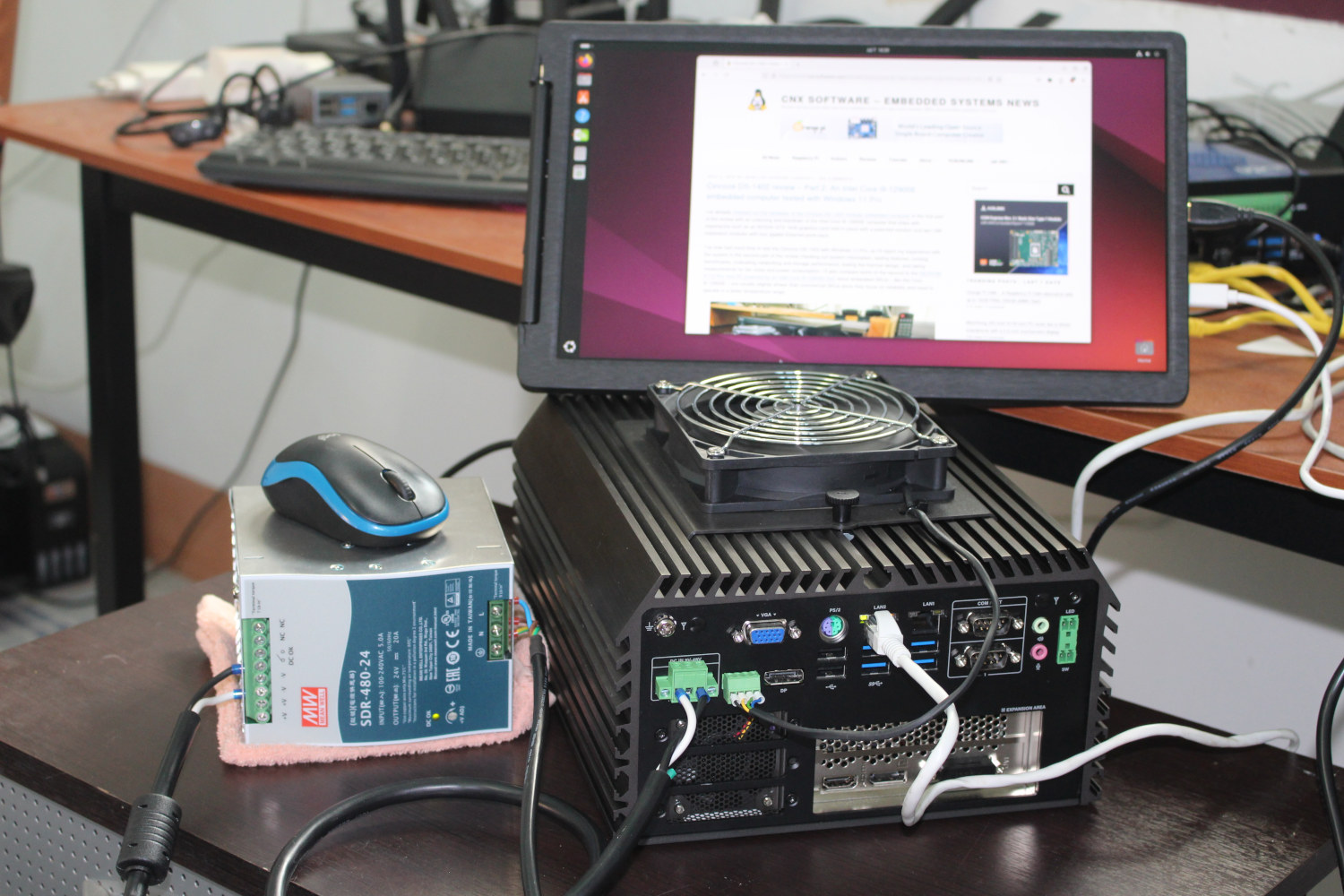
Last month, I received the SpacemiT K3 Pico-ITX Chassis Kit based on the company’s K3 16-core RISC-V SoC, and started the review with an unboxing, a teardown, and a first boot to Bianbu OS 4.0. Since the system features a 10Gbps Ethernet SFP+ cage, I also had to order a 10GbE SFP+ to Copper adapter, as my 10GbE networking gear is exclusively based on RJ45 ports. In this review, I’ll check system information in Bianbu OS 4.0.1, run a few benchmarks, test 10GbE, GbE, and WiFi 6 networking performance, play YouTube videos at various resolutions, run AI workloads (LLM), check all/most features work as expected, and measure the power consumption of the SpacemiT K3 “Pico-ITX Chassis Kit” mini PC. It’s a fairly long review, so if you are short on time, you can check out the “what works, what doesn’t” section. Bianbu OS 4.0 System Information Before running anything, I […]
Creality Sermoon S1 review – Part 3: 3D scanning with Khadas Mind 2 and NVIDIA GeForce RTX 5060 Ti 16GB dock
At the end of last year, I received a Creality Sermoon S1 high-end 3D scanner for review. After checking the specifications and going through an unboxing in the first part of the review, I used the 3D scanner with an Intel Core i5-13500H laptop with 16GB of RAM running Creality Scan 4 software on Windows 11. The laptop specs were below the minimum hardware requirements (NVIDIA GPU, 32GB RAM), and while I managed to scan a face and bust using infrared mode, it was a struggle with 4 to 5 FPS scanning, and I wasn’t able to use Blue light scanning at all. Luckily, shortly after the review, Khadas informed me they planned to send a Khadas Mind Graphics 2 dock featuring an NVIDIA GeForce RTX 560 Ti 16GB graphics card and a Mind 2 mini PC with 32GB of RAM and an Intel Core Ultra 7 155H 16-core Meteor […]
Khadas Mind Graphics 2 review – A powerful NVIDIA GeForce RTX 5060 Ti eGPU dock for the Mind 2 mini PC
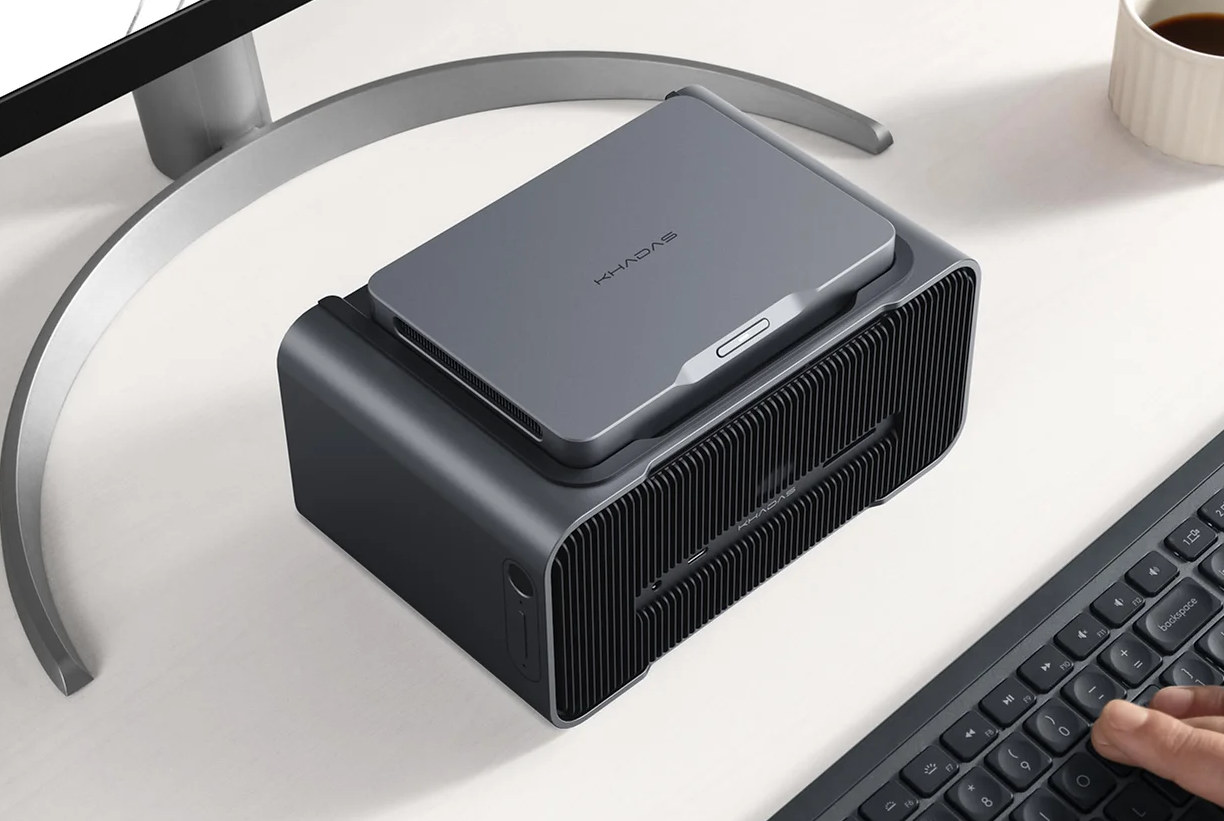
Earlier this month, I received the Khadas Mind 2 (Intel Core Ultra 7 155H) mini PC with two accessories connecting through the Mind Link (PCIe x8) connector: The Mind xPlay Display and Keyboard combo, and the Mind Graphics 2 dock, adding a range of interfaces and an NVIDIA GeForce RTX 5060 Ti GPU with 16GB of VRAM. After going through the specifications, an unboxing, and a partial teardown in the first part of the review, I tested the Mind xPlay using the Mind and Mind 2 mini PCs running Windows 11 and Ubuntu 24.04. I’ve now had time to test the Khadas Mind Graphics 2 dock with the Mind 2 mini PC running Windows 11, so I’ll report my experience with the NVIDIA GPU (3D graphics and AI), and test all features, including 2.5GbE networking, the built-in speakers, microphone array, and so on. A few gremlins and system info When […]
Khadas Mind Graphics 2 and Mind xPlay display + keyboard review – Part 1: Unboxing, teardown, and first try
Khadas has sent us the Mind Graphics 2 dock, Mind xPlay portable display and keyboard, as well as the Mind 2 mini PC for review. In the first part of the review, I’ll start by listing specifications, an unboxing of all three packages, a teardown of the graphics dock, and a first try of the xPlay and Mind Graphics 2 with the mini PC. While the Mind 2 will be used for testing, I won’t go into details here since it’s quite similar to the Mind 2 AI Maker Kit we reviewed last year. Instead, in the next parts, I’ll do a review of the xPlay with it, the first-generation Mind, and maybe another platform with USB-C video output. I’ll follow that by detailed testing of the Khadas Mind 2, including graphics and AI performance with the built-in NVIDIA GeForce RTX 5060 Ti 16GB card, and check all its features. […]
Beelink EX Mate Pro – A multi-function USB4 v2 80 Gbps dock with 2.5GbE, M.2 sockets, 140W charger, voice communication system, and more
Beelink EX Mate Pro is a multi-function USB4 v2 (80 Gbps) dock featuring four PCIe Gen4 sockets for M.2 SSDs, integrating a 140W charger with 96W USB PD charging for a laptop or mini PC, 2.5GbE networking, HDMI and USB4 video output, and a built-in quad-microphone array and speaker for voice interaction. Other features include a second 15W PD USB4 v2 port to connect peripherals like an external GPU (eGPU) or display, Bluetooth connectivity to convert the dock into a wireless speaker, USB 3.0 and USB 2.0 host ports, and buttons for volume control, microphone mute, etc… Beelink EX Mate Pro specifications: Storage – 4x M.2 PCIe Gen4 x1 sockets for NVMe SSDs Video Output HDMI port up to 4Kp60 USB4 v2 port Up to two independent displays Audio Speaker Quad-mic array with 5-meter range connected to B1 AI noise-cancellation chip (likely referring to Alif Semi Balleto B1) Bluetooth speaker […]