Stellar Data Recovery for Tape: Your Reliable Solution for LTO Tape Recovery (Sponsored)

Stellar Data Recovery for Tape

In the world of data archiving, Linear Tape-Open (LTO) tapes continue to dominate for their unmatched capacity and longevity, storing up to 45TB compressed on LTO-9 cartridges with a shelf life of 30 years. Yet, threats like software obsolescence, catalog corruption, or physical wear can lock away irreplaceable files—from databases and emails to videos and documents. That’s where LTO tape data recovery software like Stellar Data Recovery for Tape steps in, offering a standalone, secure way to retrieve data without relying on discontinued backup tools. Designed for IT pros, compliance officers, and enterprises in sectors like finance and healthcare, Stellar Data Recovery for Tape eliminates vendor lock-in. Certified under ISO-27001, ISO-9001, and HIPAA, it ensures 100% safe recovery, preserving originals while parsing diverse formats. Whether auditing legacy LTO-1 tapes or migrating modern LTO-9 archives, this tool restores access swiftly, supporting e-discovery and regulatory needs without downtime. Key Features at a […]

Sponsored: Recoverit 8.0 Data Recovery Software Works on Windows & Mac OS
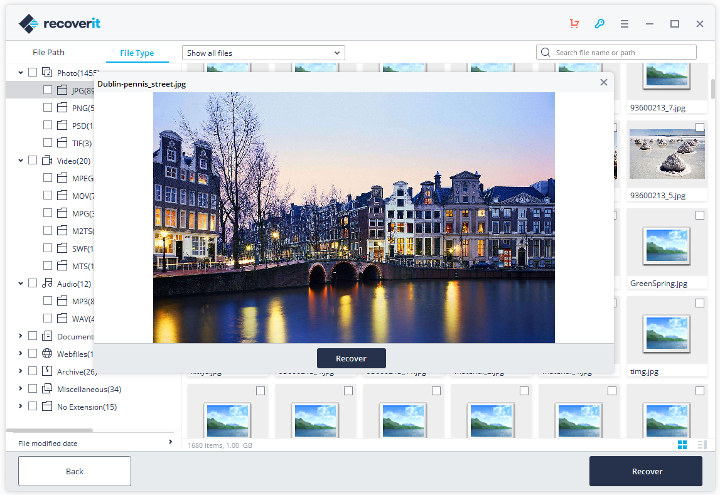
Recoverit 8.0 Recovered Photo Preview

You should always backup your data as it may become lost or corrupted due to hardware failure, user’s mistakes, or bad actors. However, if your data appears to be truly lost, and backup is not available, it’s possible to use data recovery software such as Wondershare  Recoverit Data Recovery available for Windows and Mac OS. The program will scan your computer or specific folder/storage device to locate any kind of deleted or corrupted files and ask you which files or/and folders to retrieve. This works on drives that have been corrupted due to a crash or power failure, formatted by mistake, and so on and the program can handle both internal and external drives. Wondershare has recently released Recoverit 8.0 version with various new features and improvements: Simpler and more user-friendly interface – Recoverit 8.0 comes with a simpler and more user-friendly design as shown above. The software will show […]

How to extract kernel.img with mkboot script

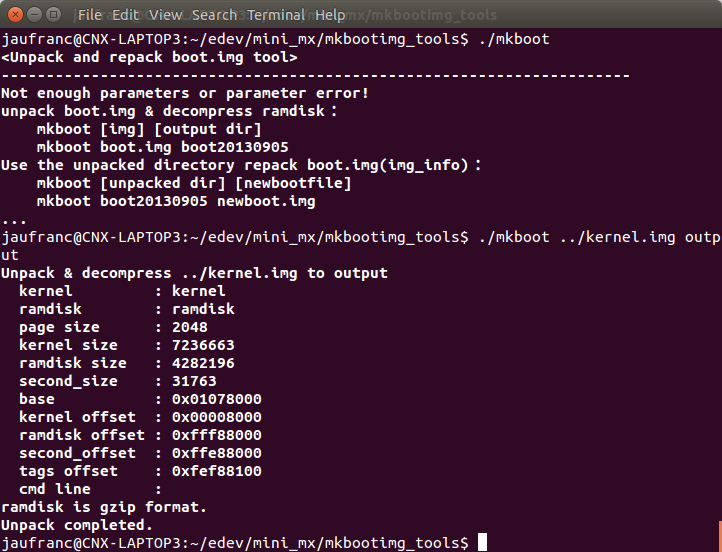
As I tried instructions to install Linux on Amlogic S905 Android TV boxes yesterday, I wanted to extract kernel.img file found in Android firmware, but Google did not help that much until I found mkboot part of mkbootimg_tools scripts. But first let’s see how kernel.img is created… Google provide a Python script called mkbootimg that combine the kernel image (e,.g. zImage), a rootfs/ramdisk and the device tree (DTB) file with a command line that looks like:

However, AFAIK the company does not provide a “unmkbootimg” script, and mkbootimg can only be used to create kernel.img, not decompile it. But that’s what mkboot does, and it works for kernel.img and recovery.img. Let’s retrieve the necessary files first:

mkboot is a bash script so we can use it right away:

So it can be used both for unpacking and repacking kernel.img to/from the output directory. Let’s run the command […]

Droid Stick A2 mini PC Recovery with AMLogic’s Hardware Flash Tool

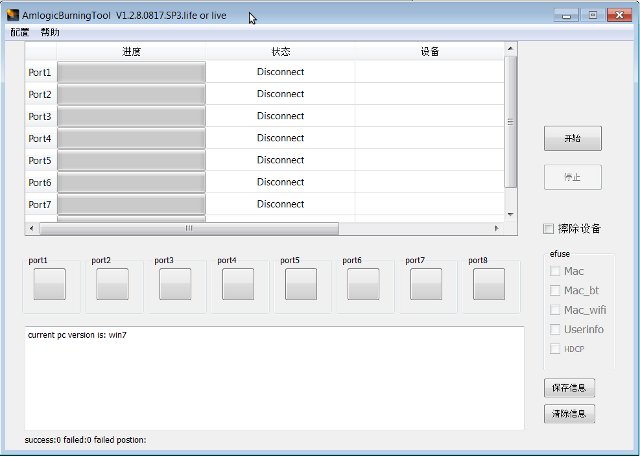
In some circumstances, for example by installing the wrong firmware or doing something wrong by playing god (as a root user), it’s possible to brick your device. This happened to me with one of my Droid Stick A2 mini PCs based on AMLogic AML8726-MX. I changed some files in /system/etc/permissions directory, lost Wi-Fi access, and even  replacing my changes with the backup files would not solve the problem. It also changed some permissions in the system, and it was not possible to restore the firmware the usual way. At the end of last month, dbtablets left a comment with download links to “Amlogic USB Burning tool”, but  I only decided to give it a try today, and after some efforts I was successful. Just make sure you only use this method as last resort, i.e. a standard firmware upgrade does not work, and you’re about to throw your device in […]

Exit mobile version