Windows 95 made to run on ESP32-S3 hardware with Tiny386 x86 PC emulator

Windows 95 on ESP32-S3 LCD board

He Chunhui (hchunhui) has developed the Tiny386 x86 PC emulator in C (C99) and managed to run Windows 3.1/3.2 and Windows 95 on an ESP32-S3 devkit with a 3.5-inch display. We had already seen Linux 5.0 boot on an ESP32 board, and Olimex ESP32-S3-DevKit-LiPo run a more recent Linux 6.3 image, but I think it might be the first time somebody has loaded Windows on ESP32 hardware. Bear in mind that since the Tiny386 is an emulator running SeaBIOS, it can also boot the Linux kernel directly. He Chunhui explains that the i386 CPU emulator is built from scratch and still lacks some features, such as debugging, hardware tasking, and certain permission checks. It also includes some 486 and 586 instructions to be able to boot a modern Linux kernel and Windows. The code is rather small as the CPU emulator is only about 6,000 lines of code (LOC) long, […]

Adafruit Fruit Jam – An RP2350 mini computer running classic Macintosh

Adafruit Fruit Jam Mini RP2350 Computer

The Adafruit Fruit Jam is a credit card-sized RP2350-powered mini computer that is designed to run classic Macintosh through the uMac emulator. It supports System 2.0 up to System 7.5.5, 720p video via DVI, audio, and USB keyboard and mouse. Built around the Raspberry Pi RP2350 MCU, the Fruit Jam board also features an ESP32-C6 wireless module and offers DVI output via the RP2350’s HSTX interface, USB-C for bootloading, a microSD card slot for storage, and an onboard TLV320DAC3100 I2S audio DAC for stereo headphones and a mono speaker. There’s also a 16-pin GPIO header, NeoPixels LEDs, tactile switches, and STEMMA QT and JST connectors for expansion. These features make this board suitable for retro emulation, educational projects, and lightweight standalone computing. Adafruit Fruit Jam specifications: Microcontroller – Raspberry Pi RP2350B CPU Dual-core Arm Cortex-M33 @ 150 MHz with Arm Trustzone, Secure boot OR Dual-core RISC-V Hazard3 @ 150 MHz […]

GamerCard is a gift card-sized, Raspberry Pi Zero 2 W-powered handheld console with a 4-inch color display

GameCard Raspberry Pi Zero 2 W gift card handheld console

Grant Sinclair’s GamerCard is a handheld console based on the Raspberry Pi Zero 2 W and a 4-inch color IPS display offered in an ultrathin design that’s about the size of a typical retail gift card. It joins other Raspberry Pi-based handheld terminals like the BeepBerry, ShaRPiKeebo, or DevTerm, but it’s more of a consumer device and offers by far the slimmest design at just 6mm thick. Being described as a “Grab & Go Raspberry Pi Gaming” platform, it’s mainly designed as a portable gaming console, but since it’s based on Raspberry Pi hardware, you could also use it as a battery-powered Linux terminal connected to a USB keyboard and mouse, and it also offers expansion capabilities through a Qwiic connector. GamerCard specifications: SBC – Raspberry Pi Zero 2 W (soldered on mainboard) – Based on Raspberry Pi RP3A0 quad-core Arm Cortex-A53 SiP with 512 MB SDRAM, Bluetooth 4.2 and […]

Olimex RP2350pc computer board features Raspberry Pi RP2350B MCU, HDMI/DVI video output, 4x USB ports

Olimex RP2350pc

Olimex has launched an update to its RP2040pc computer board with the RP2350pc board powered by a Raspberry Pi RP2350B MCU coupled with 16MB flash, 8MB PSRAM, and offering HDMI/DVI video output, four USB 2.0 ports, and an audio Codec for retro computer emulation and education. Other changes include a microSD card slot for additional storage and an on-board stereo audio codec and amplifier for Line-in and headphone audio jacks, and left and right speakers. That also means the two buzzers from the RP2040 board are gone. The design is now closer to a proper retro computer board. RP2350pc computer board specifications: Microcontroller – Raspberry Pi RP2350B CPU Dual-core Arm Cortex-M33 @ 150 MHz with Arm Trustzone, Secure boot OR Dual-core RISC-V Hazard3 @ 150 MHz Either two cores can be used. Memory – 520 KB on-chip SRAM Package – QFN-80 Memory – 8MB SPRAM Storage 16MB SPI Flash MicroSD […]

Felix86 is an x86-64 emulator for RISC-V hardware

Felix86 x86-64 emulator for RISC-V hardware

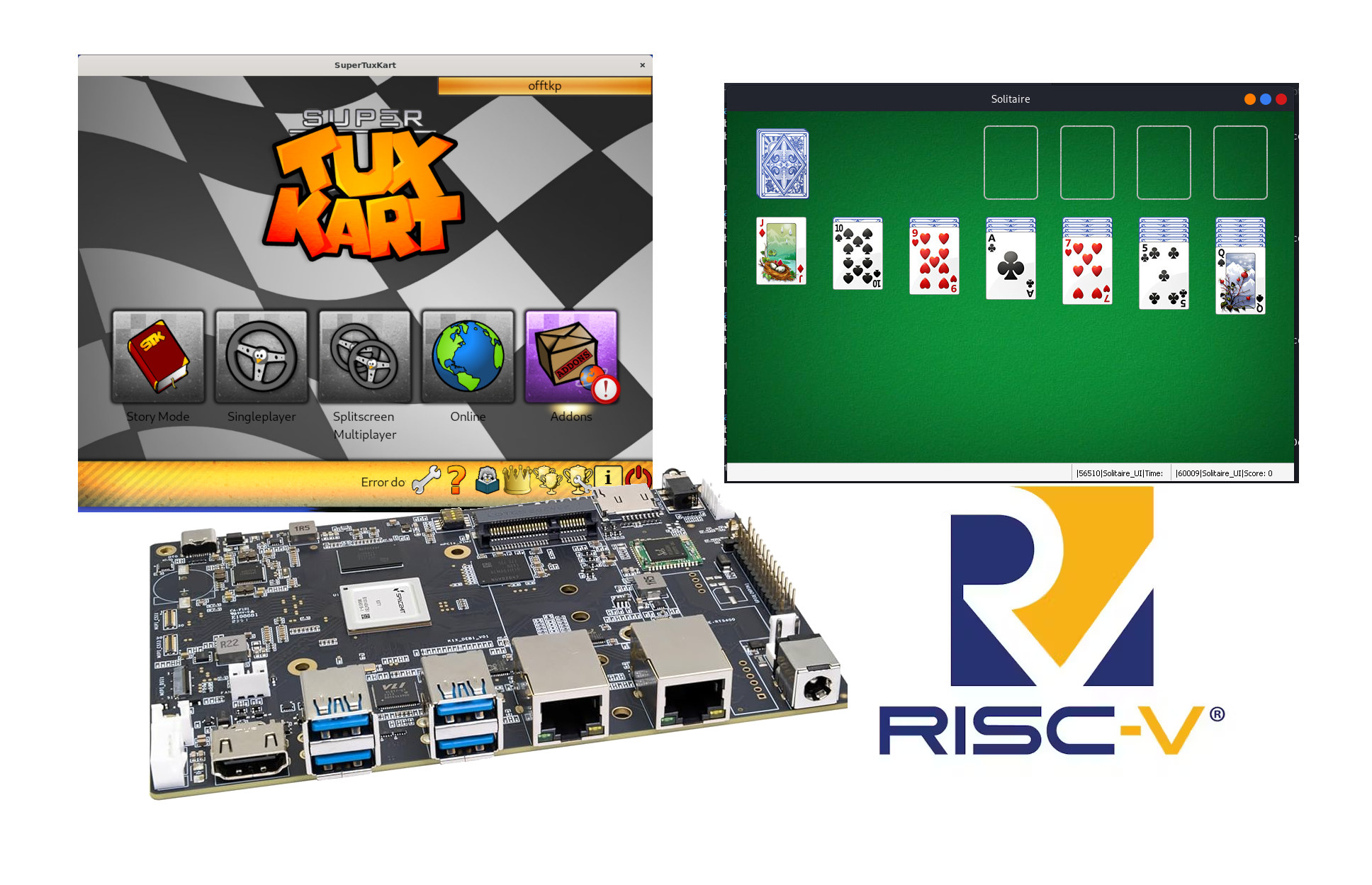
Some programs and most games are designed for x86 hardware, and we’ve already seen projects like box86 x86 emulator for 32-bit Arm targets and Box64 x86-64 emulator for 64-bit Arm hardware to run games on Arm hardware. The Felix86 x86-64 emulator is similar to Box64, except it targets specifically RISC-V hardware. The project is very new, but it can already run some Linux games like World of Goo 2, SuperTuxKart, and Quake OpenArena, while the Wine emulator can currently handle simple Windows games like Solitaire. You’ll find the full compatibility list on the project’s website. Felix86 features: Just-in-Time (JIT) recompiler Uses the RISC-V Vector Extension for SSE instructions Utilizes the B extension, if available, for bit manipulation instructions like bsr Supports a variety of optional extensions, such as XThead custom extensions You’ll find the source code on GitHub. Testing has mostly been done on a Banana Pi BPI-F3 SBC powered […]

15 Euros Olimex RP2040pc Raspberry Pi RP2040 computer board supports Apple and Oric Atmos emulation

Olimex RP2040pc

Olimex RP2040pc is an inexpensive “all-in-one” computer board based on a Raspberry Pi RP2040 MCU with support for Apple //e, Apple ][+, and Oric Atmos emulation through the Reload emulator. The board features an HDMI port, stereo audio, four USB ports, and two UEXT expansion connectors. It’s not quite the first RP2040 retrocomputing board from Olimex, as they introduced the RP2040-PICO-PC in 2021 with an HDMI port, a 3.5mm audio jack, and a microSD card slot before launching the Olimex NEO6502, which combines a MOS6502 MCU for Apple II, Oric, and Commodore 64 emulators with an RP2040 for HDMI/DVI video output and a few other things. The RP2040pc is similar to the latter, but with more ports and features, and everything is handled by the Raspberry Pi RP2040 microcontroller. Olimex RP2040pc specifications: Microcontroller – Raspberry Pi RP2040 dual-core Cortex-M0+ MCU @ 133 MHz with 264 KB SRAM Storage – 16MB […]

ESP32 Rainbow is an open-source, ESP32-S3-powered ZX Spectrum single board computer (Crowdfunding)

ESP32 Rainbow

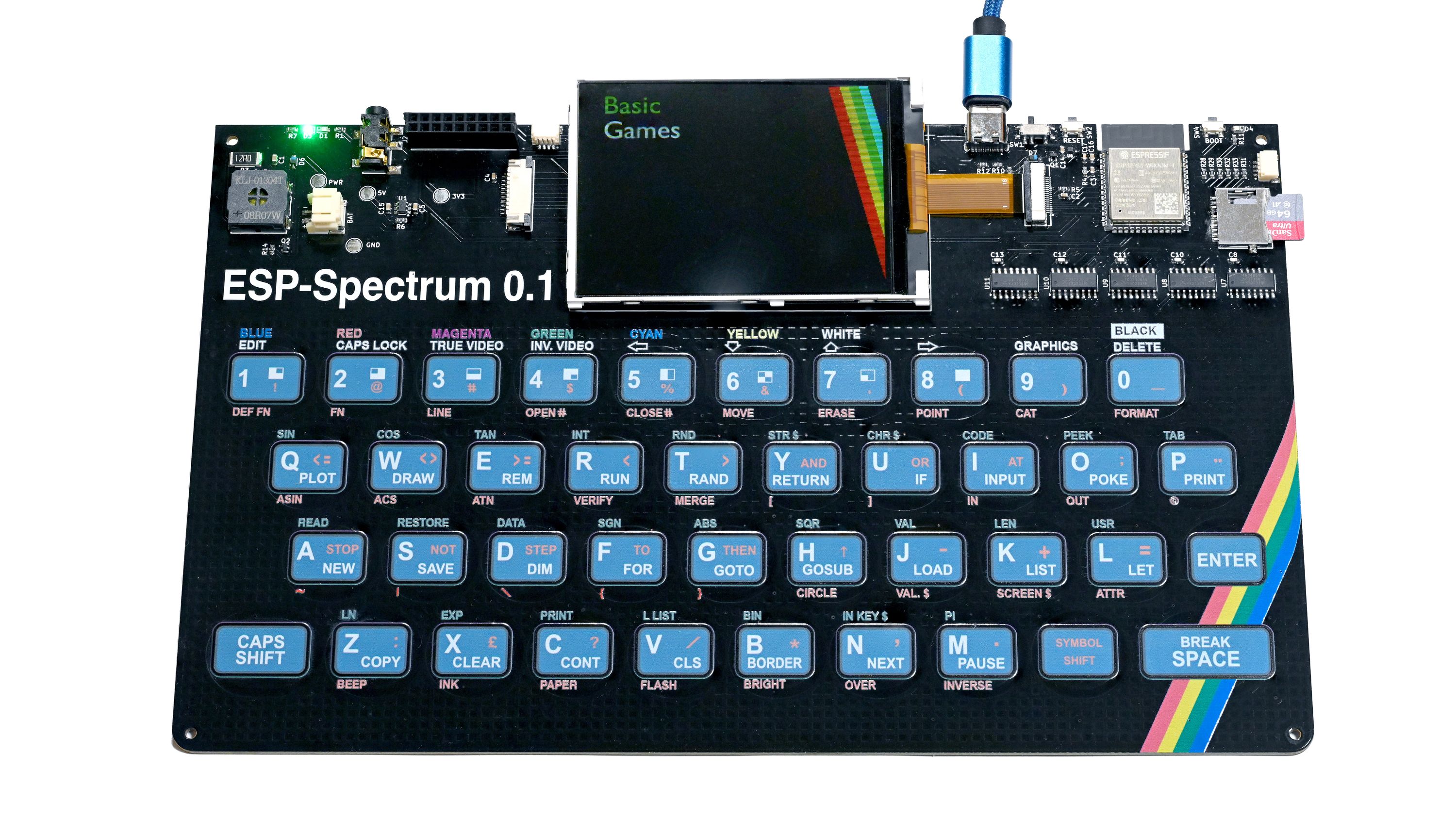
Retrocomputing enthusiasts will be delighted to learn that a new ZX Spectrum replica is on the market: the ESP32 Rainbow. The single board computer swaps the Zilog Z80 for an ESP32-S3 microcontroller chip running an emulator, bringing the classic 80s computer back to life with a modern twist. It features a built-in color display, a microSD card slot for storage, a built-in touch keyboard in the ZX Spectrum style, and a USB Type-C port for power and data. The keyboard was recreated using full-color UV printing and is the most true-to-life component of the ESP32-S3-based ZX Spectrum single board computer. The touch keys won’t likely offer the best typing experience but that is reminiscent of the original ZX Spectrum. A lovely cherry on top is that the onboard USB-C port supports HID and the device can be used as a keyboard on another computer. The ZX Spectrum is one of […]

QEMU 9.0 released with Raspberry Pi 4 support and LoongArch KVM acceleration

QEMU 9.0

QEMU 9.0 open-source emulator just came out the other day, and it brings on board major updates and improvements to Arm, RISC-V, HPPA, LoongArch, and s390x emulation. But the most notable updates are in Arm and LoongArch emulation. The QEMU 9.0 emulator now supports the Raspberry Pi 4 Model B, meaning you can run the 64-bit Raspberry Pi OS for testing applications without owning the hardware. However, QEMU 9.0 has some limitations since Ethernet and PCIe are not supported for the Raspberry Pi board. According to the developers, these features will come on board in a future release. For now, the emulator supports SPI and I2C (BSC) controllers. Still on ARM, QEMU 9.0 provides board support for the mp3-an536 (MPS3 dev board + AN536 firmware) and B-L475E-IOT01A IoT node, plus architectural feature support for Nested Virtualization, Enhanced Counter Virtualization, and Enhanced Nested Virtualization. If you develop applications for the LoongArch […]

Exit mobile version