tutorials News - Page 42 of 49 - CNX Software - Embedded Systems News

Running Ubuntu in Android with ODROID-X Development Board

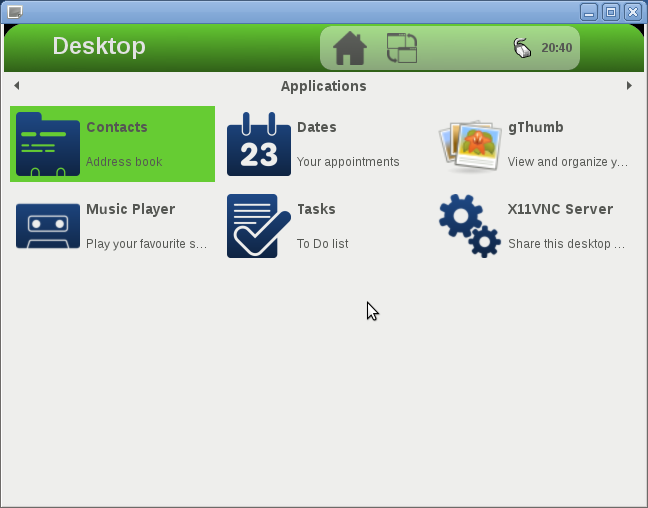
I’ve had several people asking me about running Linux on Android in the last few months, but I did not look into it into details, because I thought we would just be able to run server apps. That is until Rohith left a comment on CNX Software Facebook timeline,  that it’s possible to run Linux in Android, and access the user interface via VNC (sort of simple, but I did not think of it). You probably need at least 1GB of memory and a multi-core processor to run this sort of setup correctly, so I finally decided to give it a try by running Ubuntu 12.04 with Unity interface in ODROID-X development board. I mainly followed the instructions available at http://linuxonandroid.org/ and inside the Android app. Most of the steps I followed can also be replicated on other rooted Android hardware platforms. Apart from Ubuntu 10.04 & 12.04, you can […]

Getting Started with Infineon XMC4500 Relax Lite Kit and DAVE 3 IDE

Infineon Relax Lite Kit is a 10 Euros development kit based on Infineon XMC4500 Cortex M4 MCU with 160 KB SRAM and 1 MB flash, and featuring 2 USB OTG ports for debugging and powering up the board, 3 buttons (including reset), 2 LEDs, and 2 headers (through holes) giving access to the signals from the MCU such SPI, I2C, I2S, UART, CAN, ADC, DAC and PMW. The kit if available online via Hitec, but unless you live in Germany, this is not an interesting option, as international shipping costs over 100 Euros. So you’d better check local distributors in your country. The package only comes with the board, and you’ll need a USB to microUSB to power the board. To get started, simply connect the board via the USB cable to one of the USB OTG connectors, and to a Windows PC. The power LED (green) should lit up, […]

Cubieboard Unboxing and Quick Start Guide

I’ve received another cool board this week with the Cubieboard development board. As a quick reminder, the Cubieboard is the only proper low cost AllWinner A10 development board available, and comes with 512MB/1GB RAM, 4GB NAND Flash, 10/100 MBit Ethernet, HDMI output, 2x USB Host port, 1x USB OTG port, a microSD socket, a SATA interface, an IR sensor and 2 headers to access extra pins such as GPIOs, I2C, SPI,VGA pins, CVBS pins etc… CubieTech had a successful Indiegogo campaign where the 1GB board was available for $59 including worldwide shipping (and as low as $19 for early birds), and you can now buy it from resellers. [Update: It’s now available with several cables, USB to TTL debug board, and an enclosure for $80 on dx.com] Cubieboard Unboxing The board comes with a SATA cable and a USB cable for power. There’s no power supply so you’ll need you […]

Collabora and Fluendo Release GStreamer SDK for Android

Collabora and Fluendo have recently announced the availability of GStreamer’s Software Development Kit for Android, which allows developers to create multimedia playback applications for Android smartphones and tablets using Gstreamer and the Android NDK.. The GStreamer SDK for Android targets Android 2.3.1 Gingerbread or higher (API Level 9 or greater). However, due to some of the restrictions of previous versions of Android, some features such as hardware acceleration are only available on Android 4.1 Jelly Bean (API Level 16 up). Normally, you’d need the GStreamer SDK which can be installed on Linux (Ubuntu, Fedora and Debian), Windows (XP/Vista/7/8) and Mac OS X (10.6 to 10.8). But for developing Android applications using Gstreamer, you don’t. What you do need first is a typical Android development environment with the latest Android SDK, the latest Android NDK, and optionally, but recommended, the Eclipse IDE with Android ADT and NDK plugins. Once everything is […]

How to Root Kimdecent T21 mini PC and other Nufront NS115 Android Devices

The guys at androidpc.es have acquired a Kimdecent T21 mini PC (aka GV-21) based on the dual core Nufront NS115 processor, and posted instructions to root Kimdecent T21 in Spanish (and now in English) before writing a full review which should be posted next week. Here are the English instructions below: Download Moborobo and install it. Moborobo need to install unsigned drivers. By default, Windows 8 is not too happy with unsigned drivers, and you’ll have to follow these instructions, if you use that OS. Download ROOT-T21 and uncompress it. Make sure USB Debugging is enabled in your mini PC (Settings –> Developer Options) Install Moborobo Daemon from Google Play. Start Moborobo in the PC Execute  ROOT_T21_GV-21_V01.bat inside ROOT-21  folder and follow the  instructions. Moborobo needs to reconnect with T21 via Wi-Fi when the ROOT programs requires it. Once the procedure is complete, you can download and install SuperSU, as well as the […]

AMLogic Releases U-Boot and Updated Linux Kernel Source Code

AMLogic released kernel 3.0.8 source code for AML8726-MX a few months ago, and yesterday they provided an updated tarballs with the kernel, and for the first time, AFAIK, released the source code for U-Boot. There are 4 new files apparently generated from the (internal) git repository in AMLogic: common-2012-11-20-git-b687495906.tar.gz  (108M) – This is the same kernel 3.0.8 release has last time, but with updated code. m1-kernel-android-2012-11-20-git-5d0f6b8e93.tar.gz (103M) – This looks like an older kernel 2.6 for AML8726-M1 only. uboot-master-2012-11-20-git-9b50e9a295.tar.gz (16M) – U-Boot 2010.06 possibly to use with the older 2.6 kernel. Only for M1 & M3 platforms. uboot-next-2012-11-20-git-b0e532795a.tar.gz (40M) – U-Boot 2011.03 for use with M3 and M6 platforms. I’ve already explained how to build the kernel in the previous post, so I’ll focus on U-Boot this time. Ubuntu 12.04 arm-linux-gnueabi- toolchain fails to build U-Boot (uboot-next), so you’ll have to install Sourcery toolchain instead: wget http://openlinux.amlogic.com/download/linux/ARM/gnutools/arm-2010q1-188-arm-none-eabi-i686-pc-linux-gnu.tar.bz2 tar xjvf arm-2010q1-188-arm-none-eabi-i686-pc-linux-gnu.tar.bz2 […]

Freescale i.MX6 Resources: Development Boards, Documentation, Source Code and Tools

Reader “Mark” recently left a comment saying the NDA on Freescale i.MX6 resources was lifted and documentation and source code were now available for the platform. So it’s time for me to look into it, and provide an overview of Freescale i.MX6 features, list available development platforms, and have a closer look at the documentation, source code and tools for the platform. Freescale i.MX6 Processors In 2011, Freescale initially announced 3 processors in the i.MX6 series for consumer, industrial and automotive markets, but added 2 lite SoC in 2012, and there are now 5 members in the family: Freescale i.MX6SoloLite – Single Cortex A9 processor up to 1 GHz with 256KB L2 Cache, 32-bit DDR3 and LPDDR2 memory support, and 2D graphics accelerator (Vivante GC355 + GC320) Freescale i.MX6Solo – Single Cortex A9 core up to 1 GHz with 512KB L2 Cache, 32-bit DDR3 and LPDDR2 memory support, and 2D & […]

Learn How to Write a Driver for Linux 3.x With The Linux Driver Template

A Linux Driver Template (LDT) has been published to help new Linux kernel developers writing hardware device drivers. Constantine Shulyupin posted the Linux Driver Template (LDT) on the Linux mailing list in order to merge it into the mainline Linux kernel. The code can be used as as a starting point for new drivers, and shows how to use several Linux facilities such as  module, platform driver, file operations (read/write, mmap, ioctl, blocking and nonblocking mode, polling), kfifo, completion, interrupt, tasklet, work, kthread, timer, simple misc device, multiple char devices, Device Model, configfs, UART, hardware loopback, software loopback and  ftracer. This sample has been added to other device drivers samples in eLinux.org. And if you want to learn further there’s always the Linux driver bible: “Linux Device Drivers, Third Edition” which can be downloaded for free as PDF, although it’s for 2.6.10 kernel and many parts may not be up-to […]

Banana Pi BPI-R4 Pro networking SBC